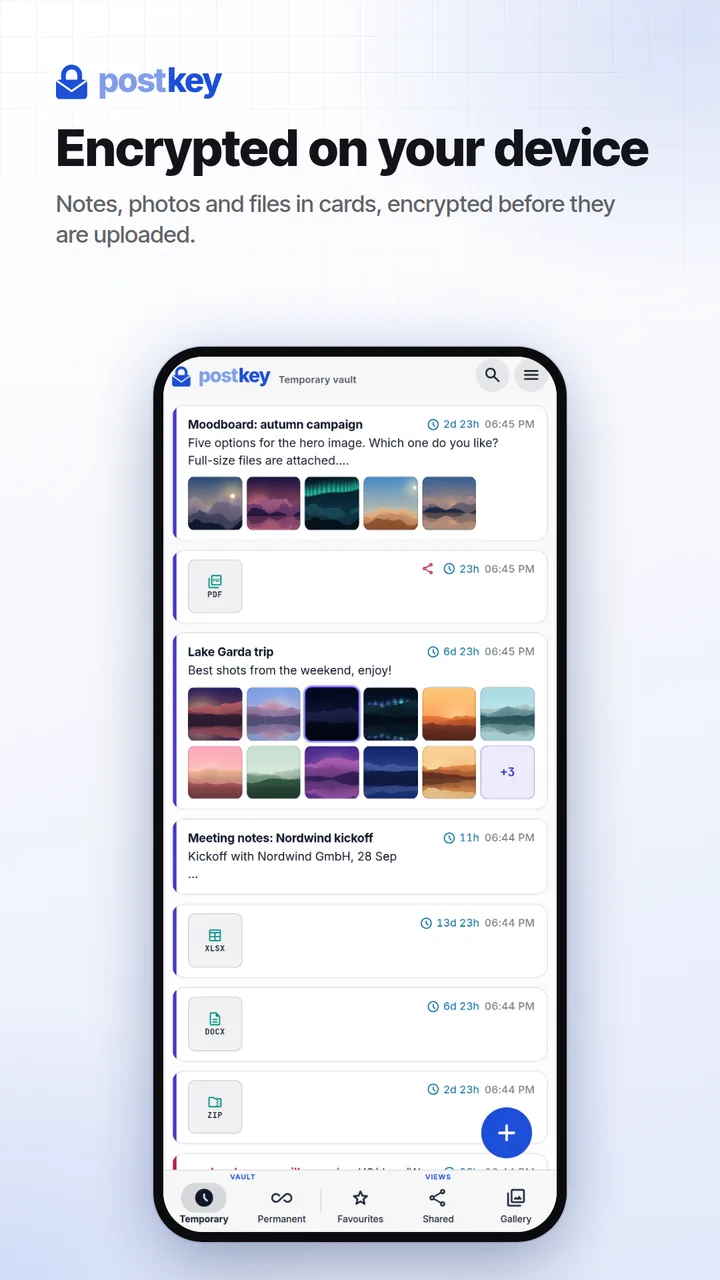
Postkey is an encrypted vault for passwords, recovery codes, notes and files, and a safe way to send them to your other devices or to anyone else. Your content is encrypted on your device before it is uploaded, so our servers store it only in encrypted form.
Sign up with your email address. People you share with do not need an account. Create an account
AES-GCM 256
Argon2id
Data stored in the EU
Web and Android
box.sortia.deE2E
256-bit
AES-GCM keys, encryption happens on your device
64 MiB
of memory per password guess (Argon2id)
160-bit
recovery code, shown once when your account is set up
50
files per card, up to 50 MB each
01 · Vault + Transfer
A vault for what you keep. A courier for what you send.
Postkey does both with the same end-to-end encryption: keep secrets and files for as long as you need them, and move them between your devices or to other people when you have to.
Permanent vault
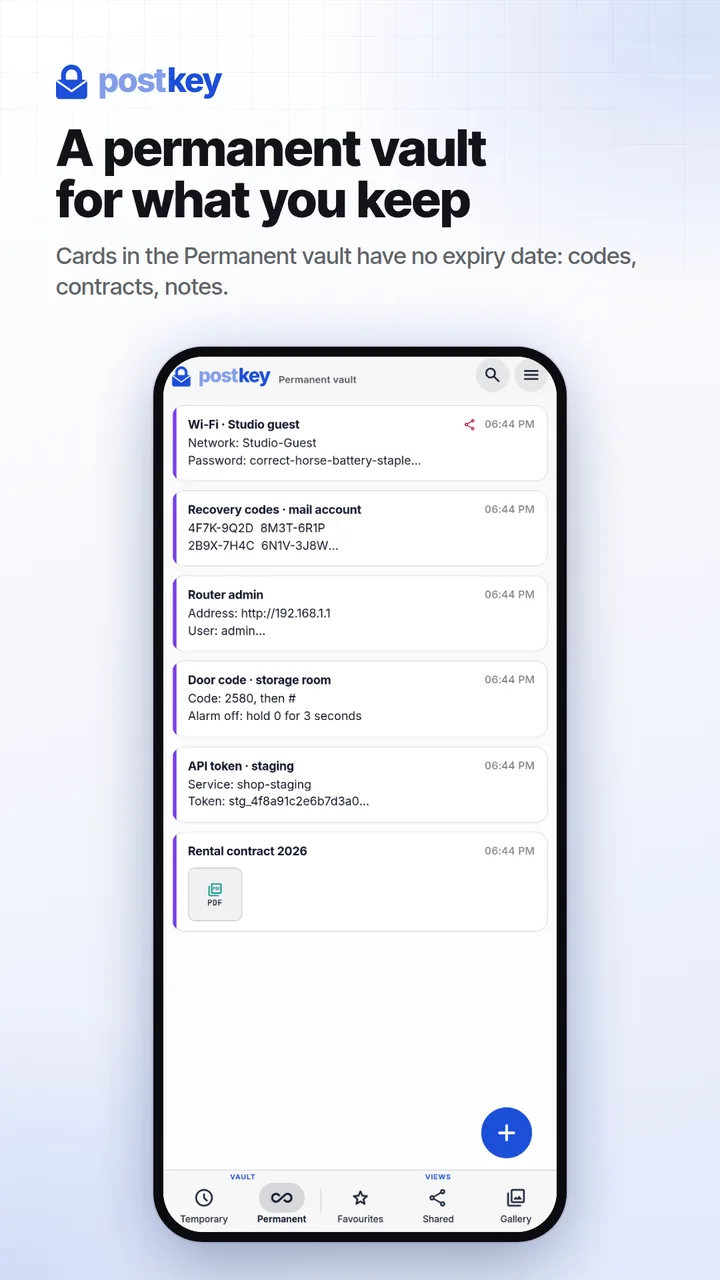
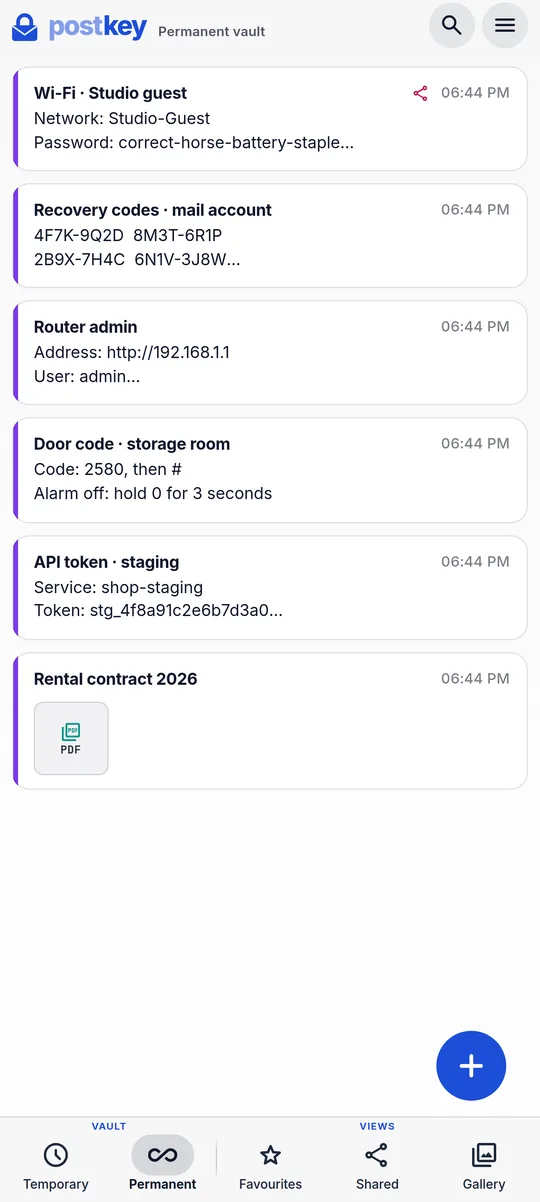
Keep passwords, codes and documents
Cards in the Permanent vault stay until you delete them: logins, Wi-Fi passwords, PINs, recovery codes, API keys, contracts and ID scans. They sync to all your devices in real time.
Never expires, stays until you delete it
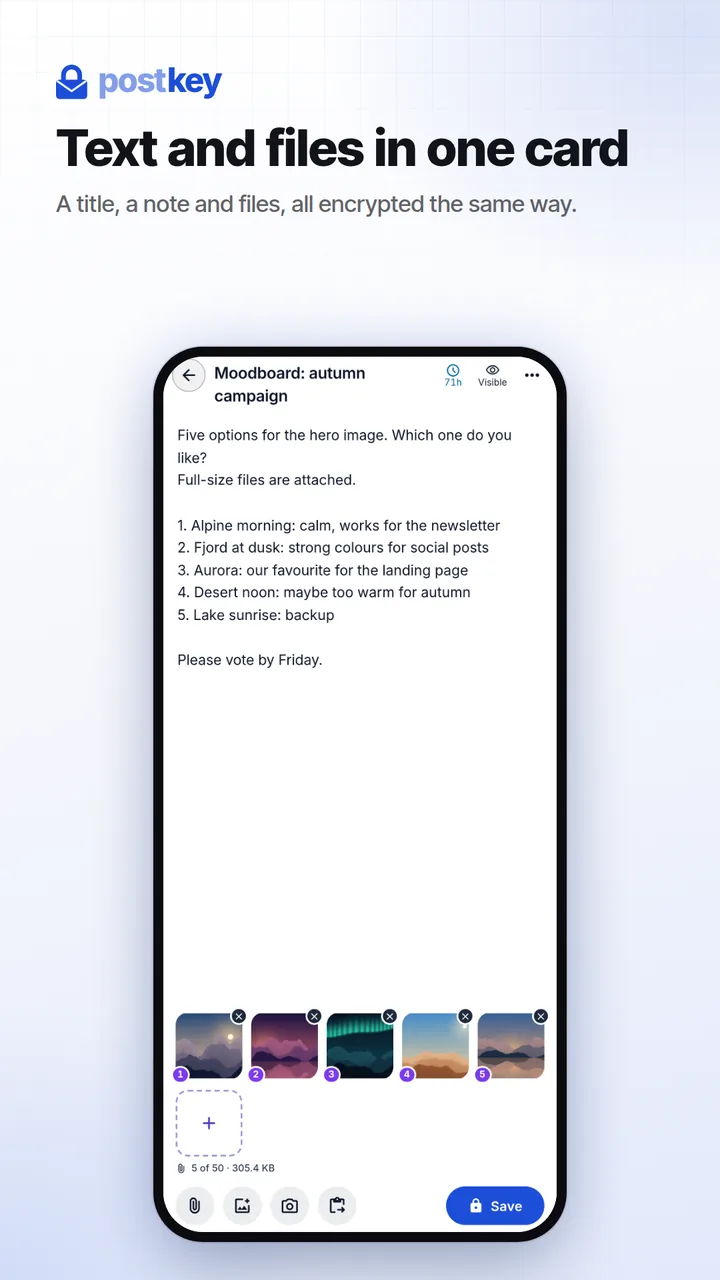
A title, a note and up to 50 files per card
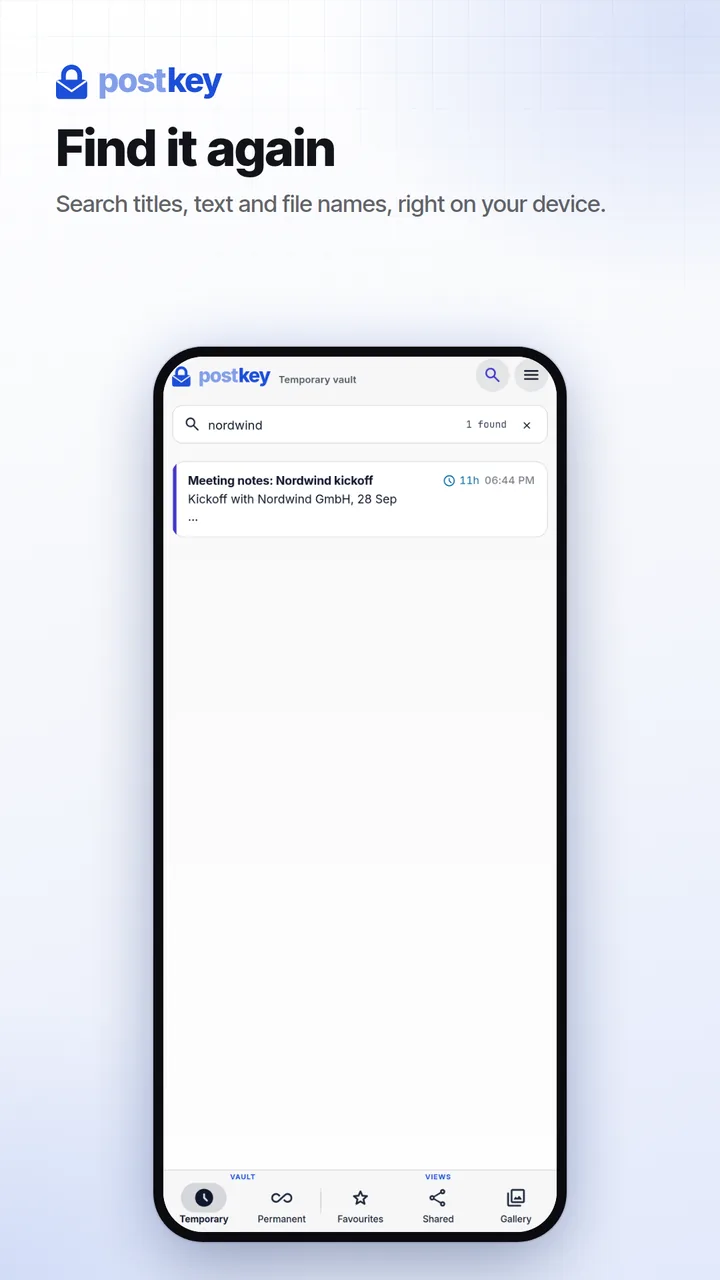
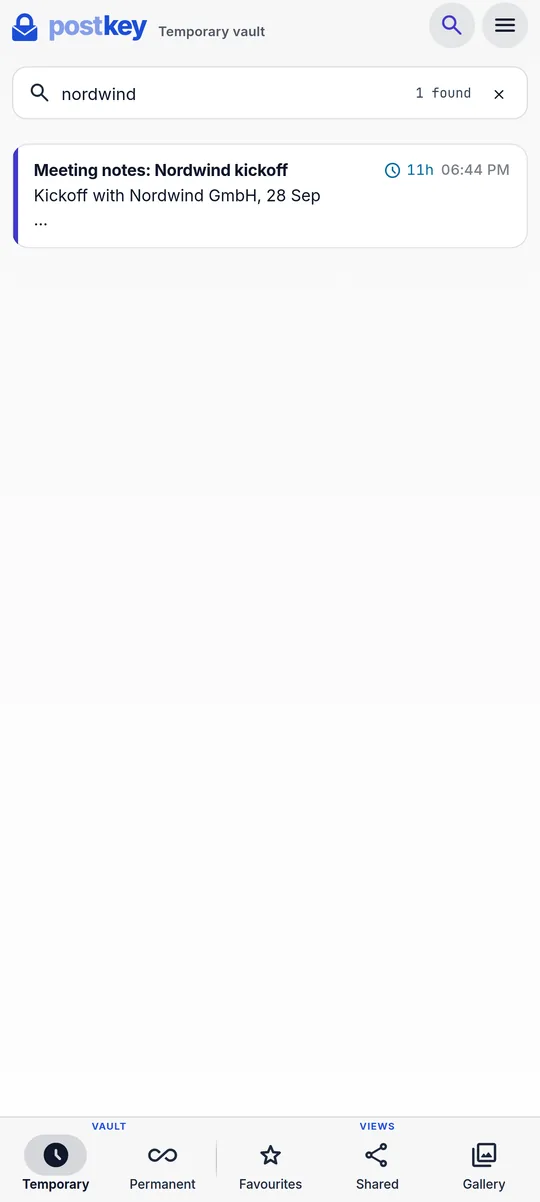
Search runs in your browser, over decrypted titles, text and file names
Open a card and copy its text
Transfer
Send files and secrets safely
Move a photo from your phone to your laptop, hand a password to a colleague or send a contract to a client. Everything travels encrypted, and cards you only need for a while delete themselves.
Your devices: every card appears on all of them in real time
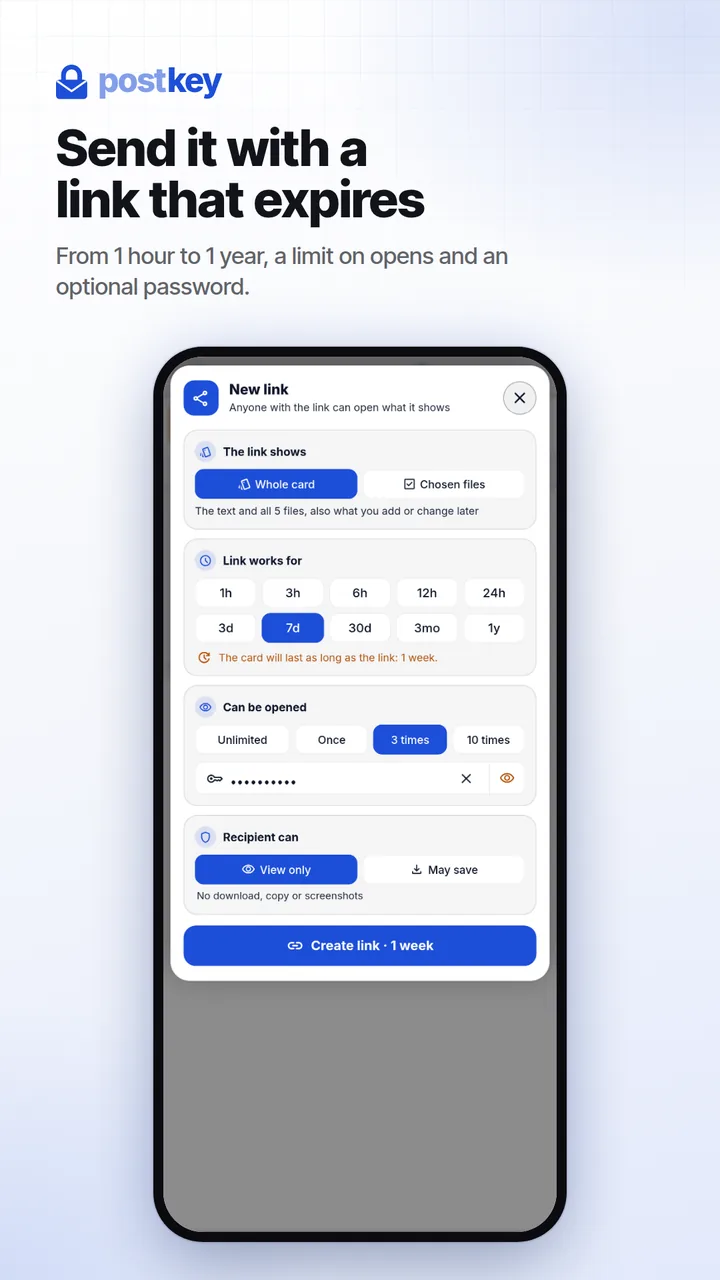
Other people: a link that expires, with an optional view limit and password
The recipient needs no account and no app
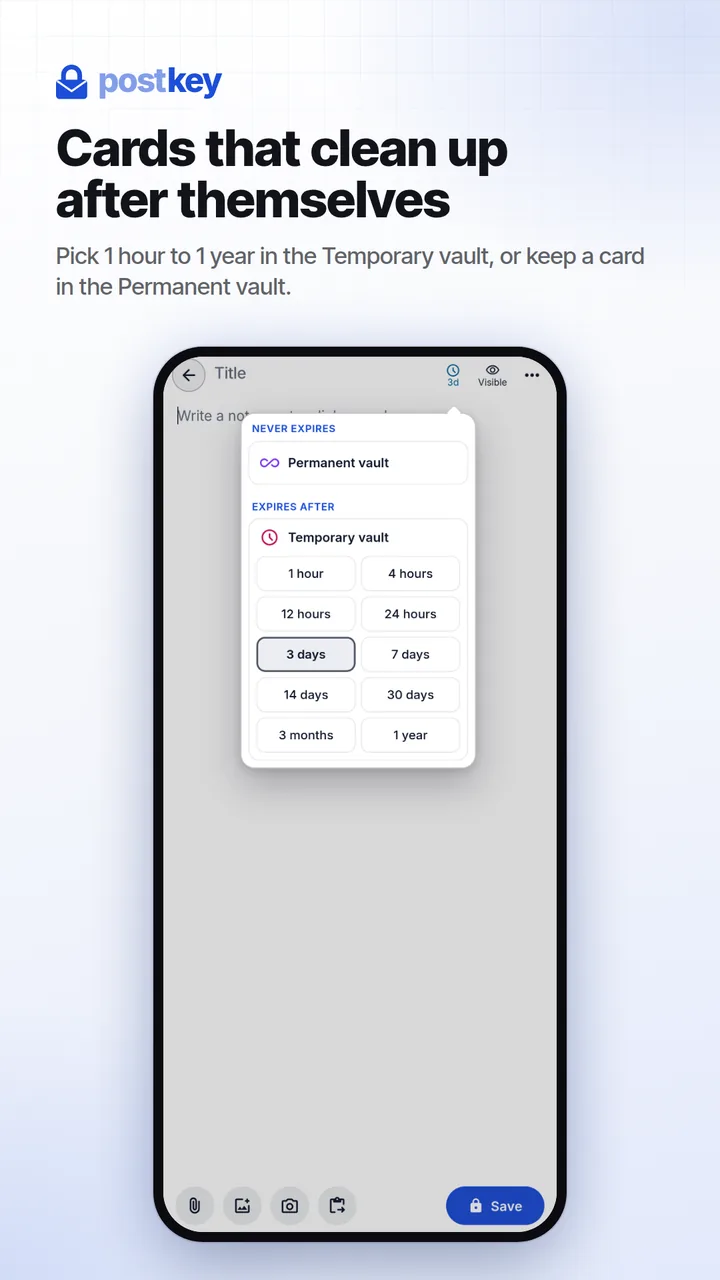
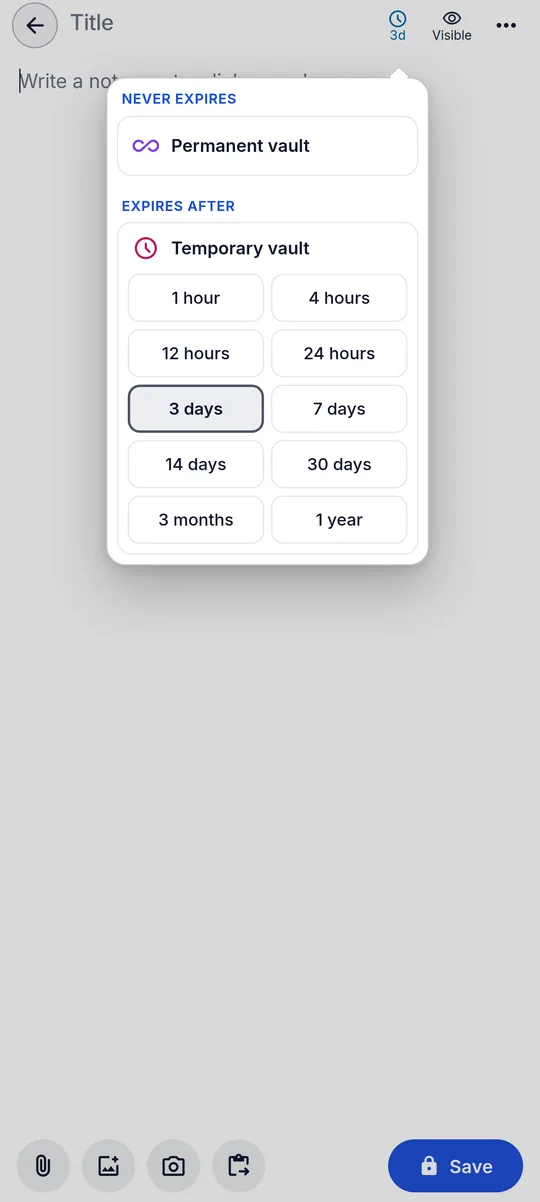
Temporary cards: 1 hour up to 1 year, then deleted automatically
Logins
Wi-Fi passwords
Recovery codes
PINs and door codes
API keys
Contracts
ID scans
Photos and drafts
02 · Previews
Open everything. Decrypt nothing on a server.
Previews are rendered in your browser after decryption. Postkey does not convert files on a server, so they stay encrypted there while you read, watch and listen.
Images
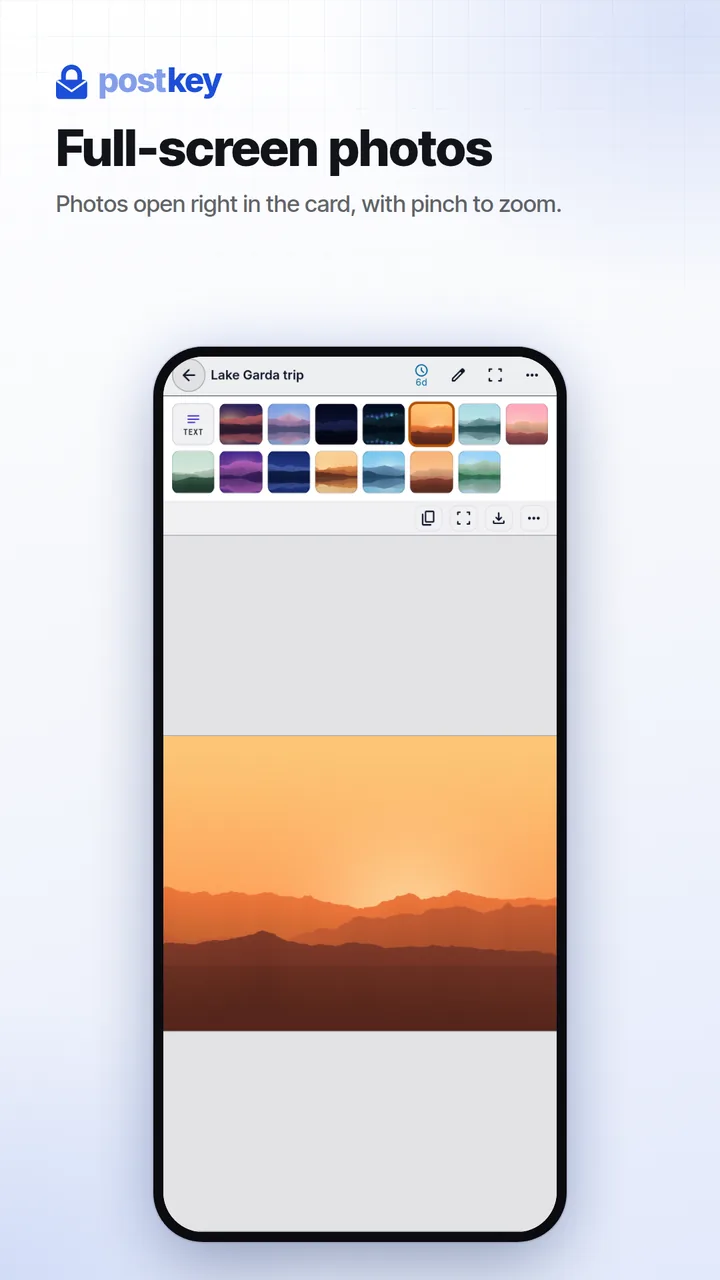
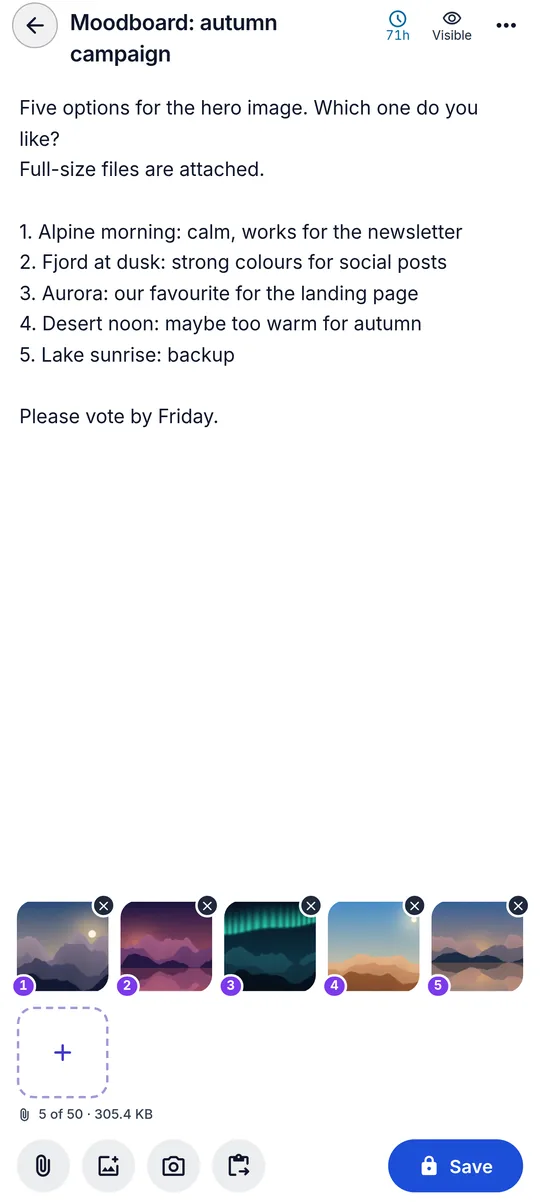
Photos and screenshots, full screen
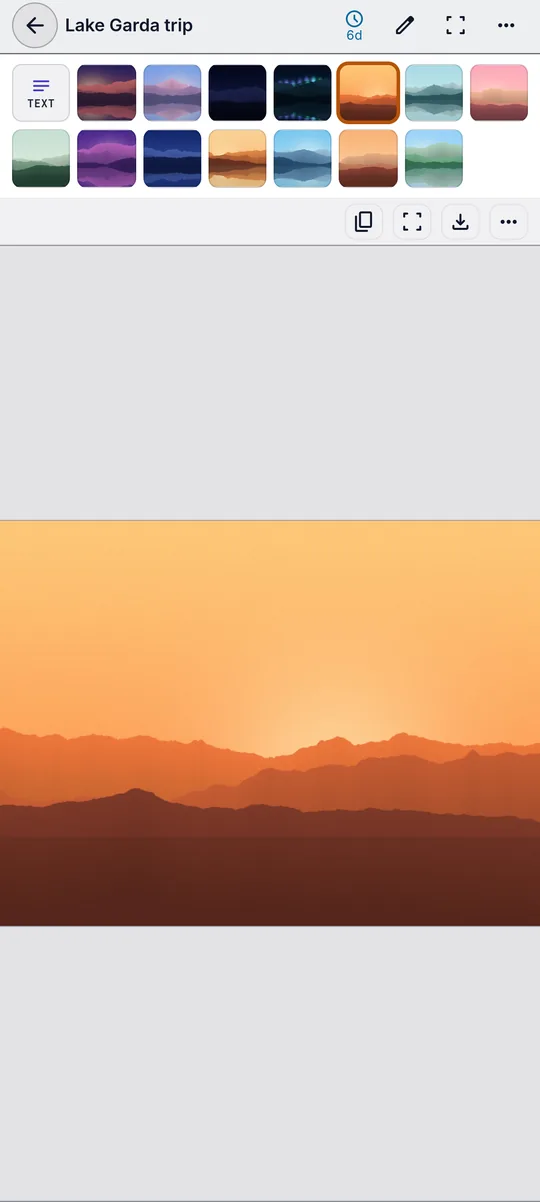
Cards with images show a small preview that is encrypted separately from the original. Open a picture full screen, zoom with two fingers or with Ctrl and the mouse wheel, double-tap to zoom in, and step through a card's files with the arrows or a swipe.
Zoom 0.5x to 8x
Encrypted thumbnails
Swipe between files
Documents
Read PDF, Word and Excel files
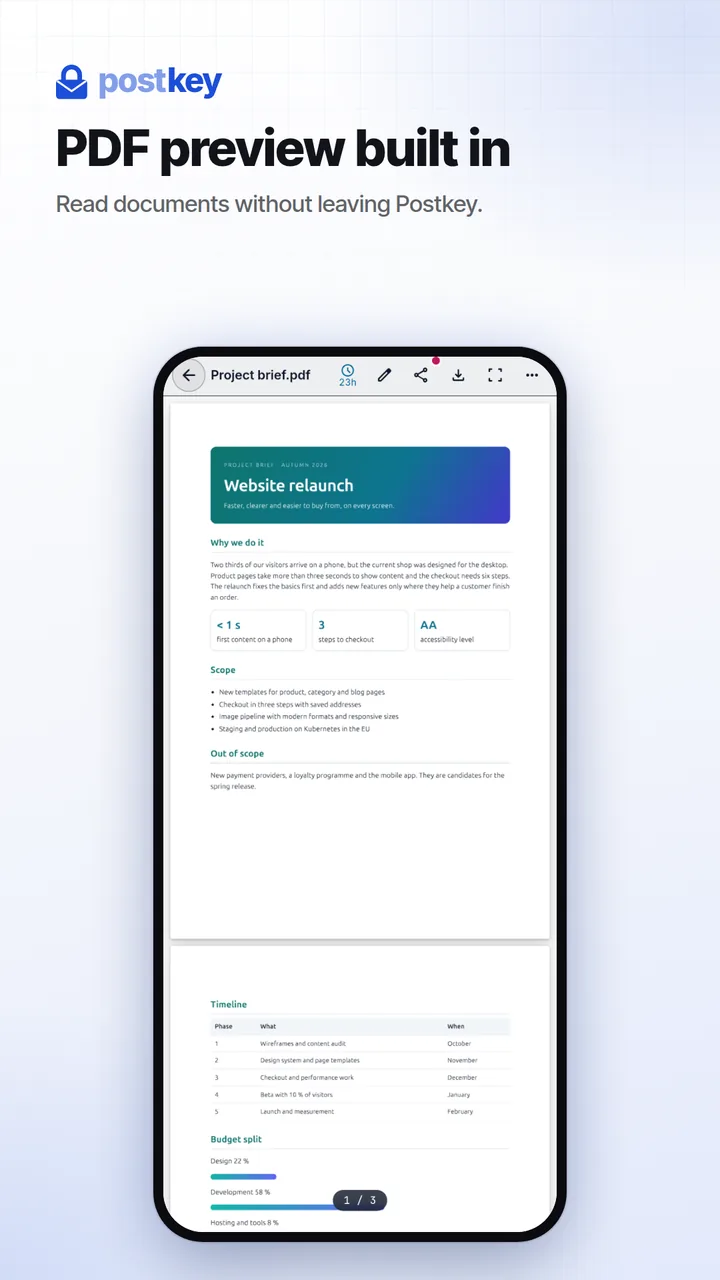
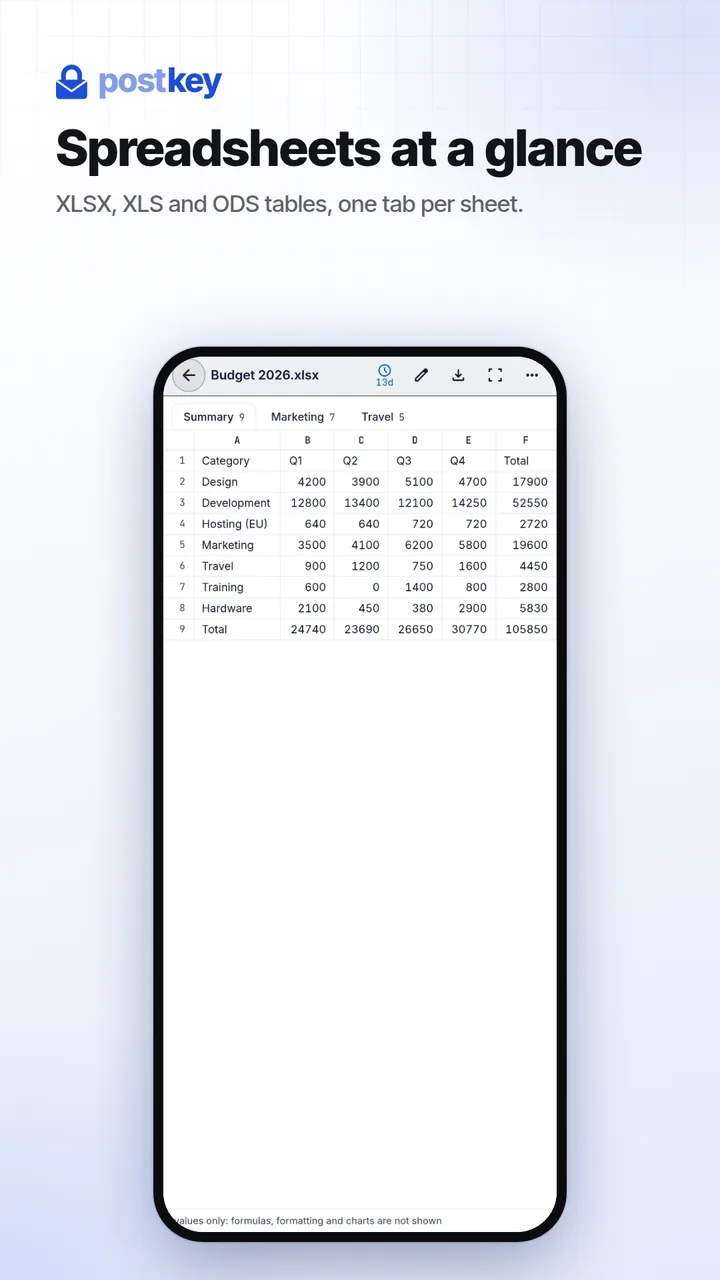
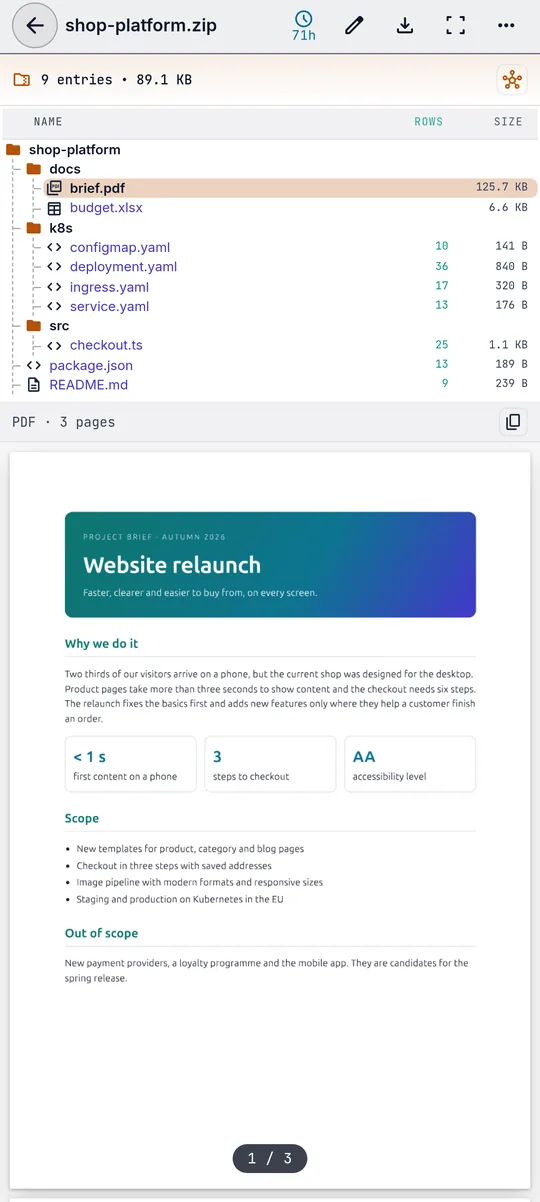
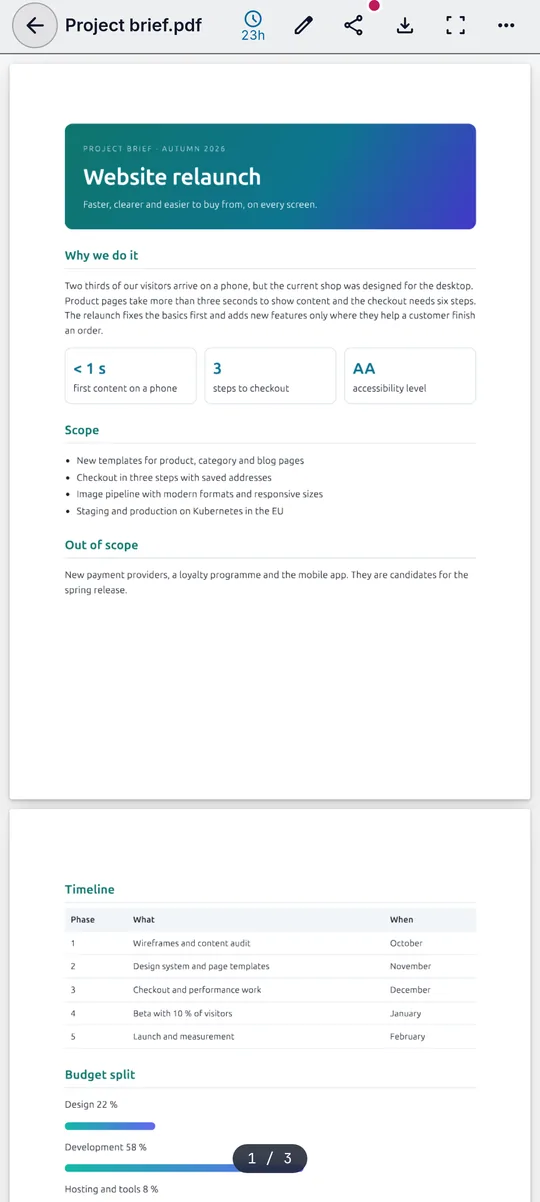
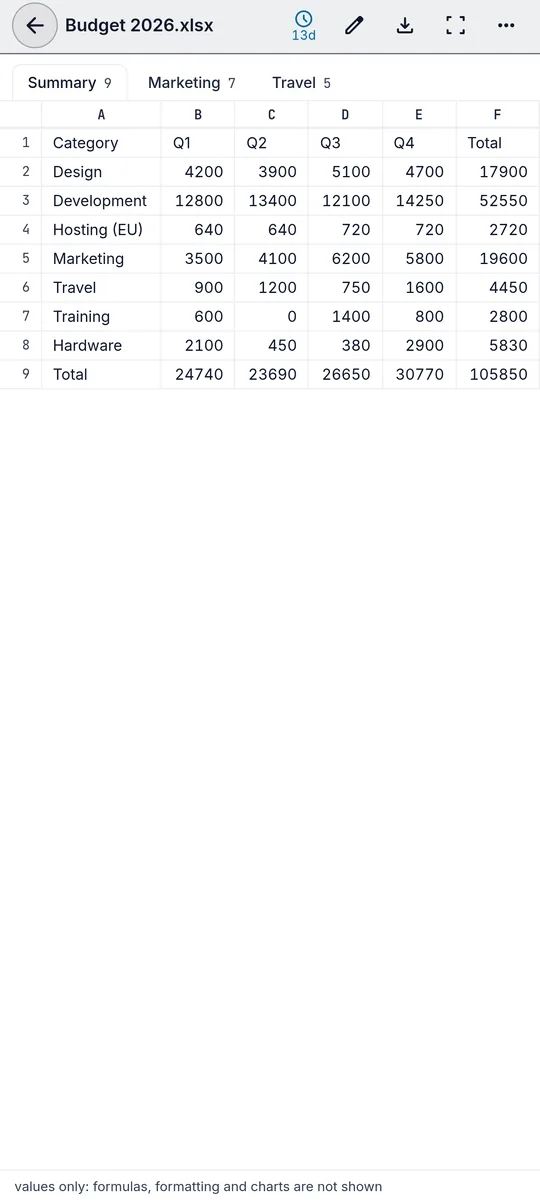
PDF pages are drawn with pdf.js, with a page counter and zoom. Word documents keep their headings, lists and tables, and older DOC files show their text. Spreadsheets open with one tab per sheet.
PDF
DOCX · DOC
XLSX · XLS · ODS
These are read-only previews: formulas and exact formatting are not shown.
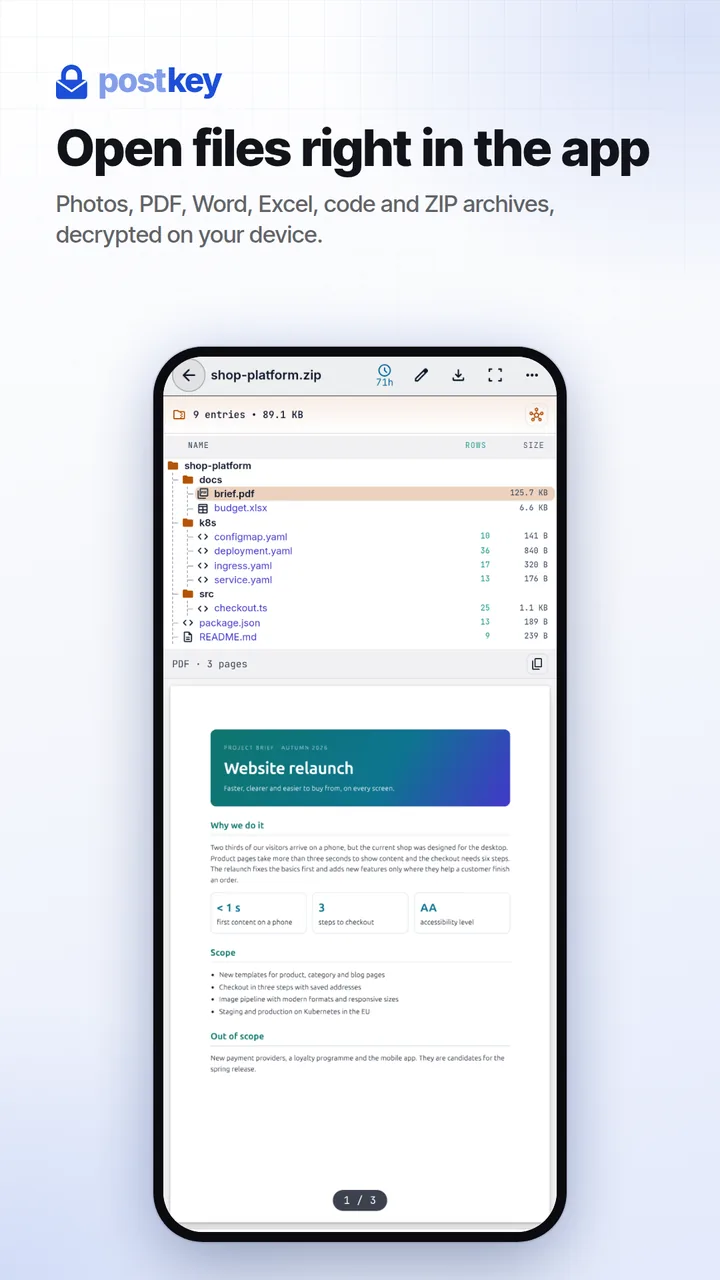
ZIP archives
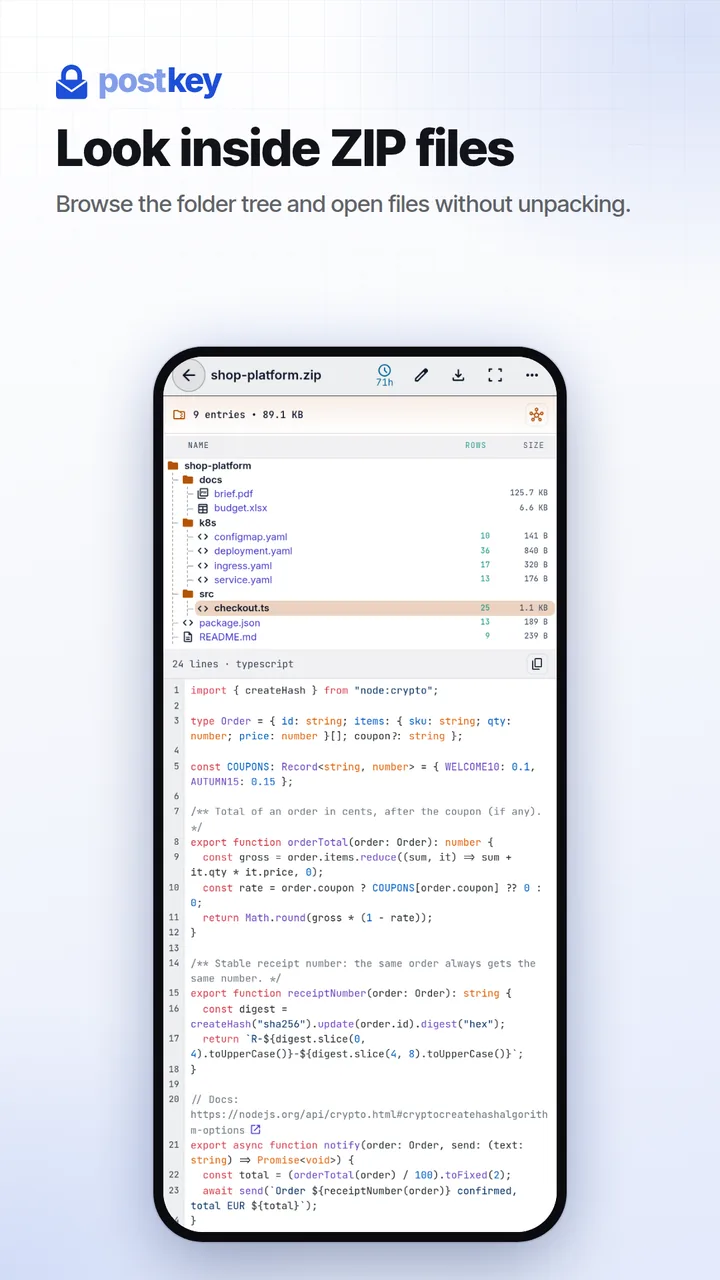
Look inside a ZIP without unpacking it
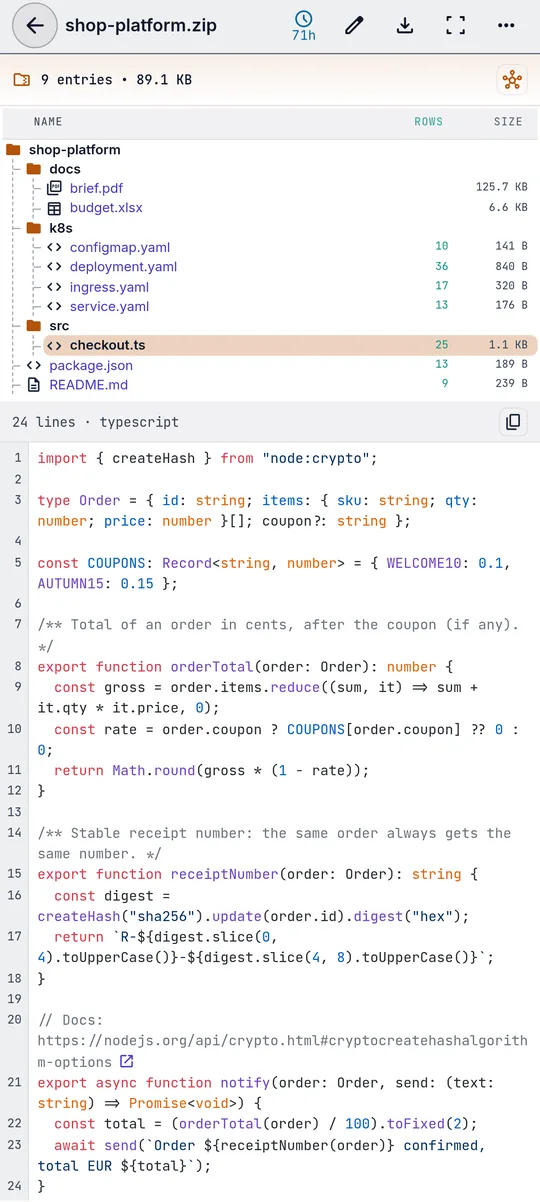
Browse the folder tree with sizes and line counts, and open text, code, PDF, Word and Excel files straight from the archive. Drop a folder into Postkey and your browser packs it into a ZIP for you.
For project archives: file names in the code are clickable, names defined in other YAML or Jinja files jump to their definition, and hovering a YAML line shows where it sits, with a short explanation of common Kubernetes and Ansible keys.
Video
Watch videos in the preview
Videos play in your browser's own player. Which formats work depends on the browser, for example MP4 and WebM.
Audio
Listen with a compact player
Play and pause, jump 10 seconds back or forward and drag the progress bar. MP3, WAV, OGG, M4A and other formats your browser supports.
Code and text
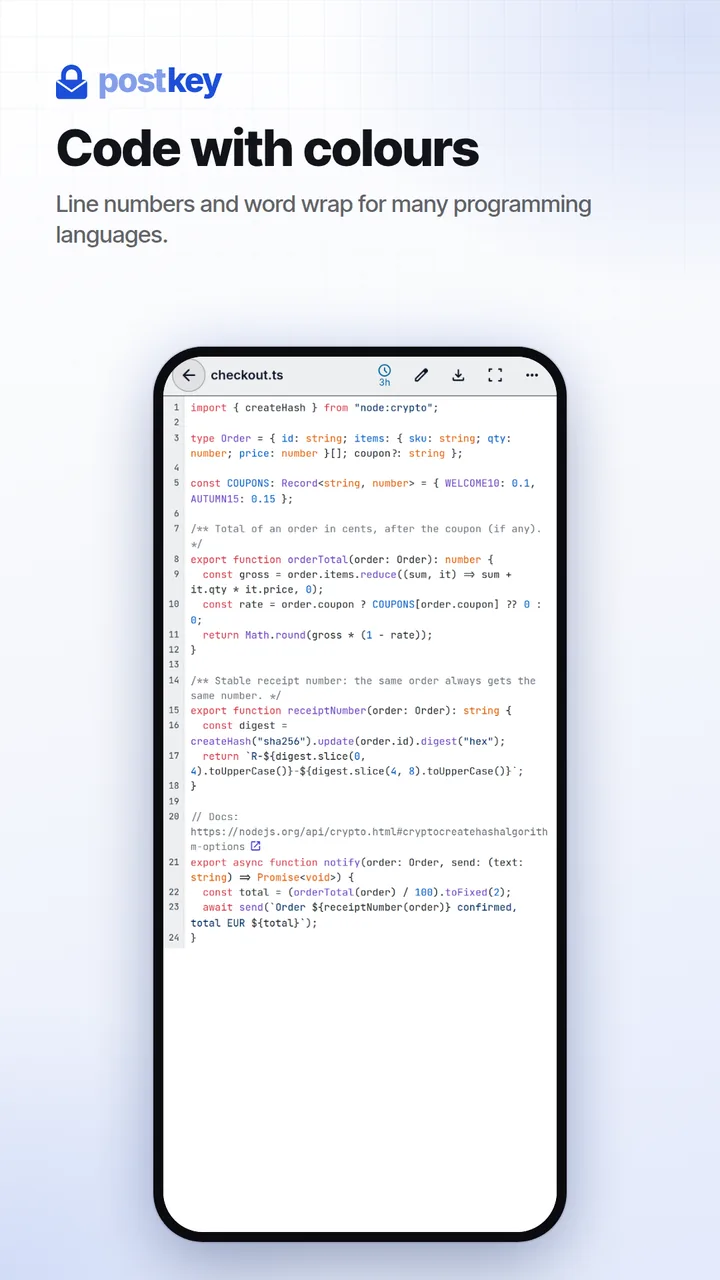
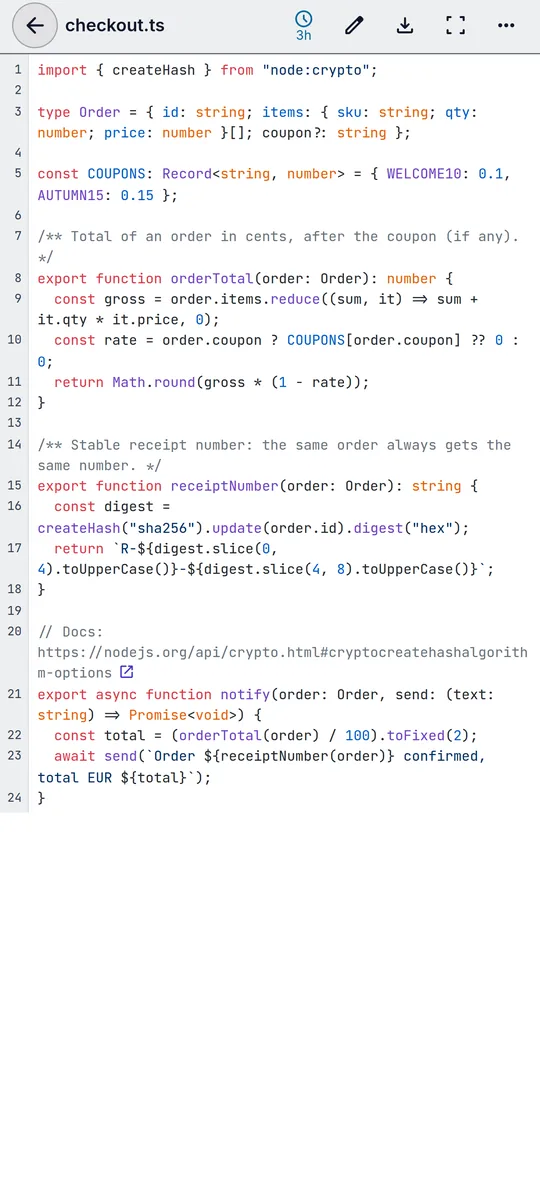
Syntax highlighting for many programming languages
Line numbers, word wrap, links that open in a new tab, and a double-click that highlights every occurrence of a word. On a phone, pinch to change the font size.
03 · Editor
One card for text, links and up to 50 files.
Type, paste or drop. Every card can have an optional title, a note and up to 50 attachments, all encrypted the same way.
001
Title and note
Give any card a title. Files can carry a note, shown on the card and in the preview.
002
Paste
Press Ctrl+V to add a screenshot to a card, or use Paste image. On Android, a picture you have just copied is added to the composer by itself.
003
Drag and drop
Drop files onto the page or onto an open card. A dropped folder is packed into a ZIP in your browser before it is encrypted.
004
Links
A card that contains just a link becomes a link card. Links in any previewed text get a small button that opens them in a new tab.
005
Edit later
Change the text and the title, add files or remove them at any time. Deleting always takes two clicks.
006
Find it again
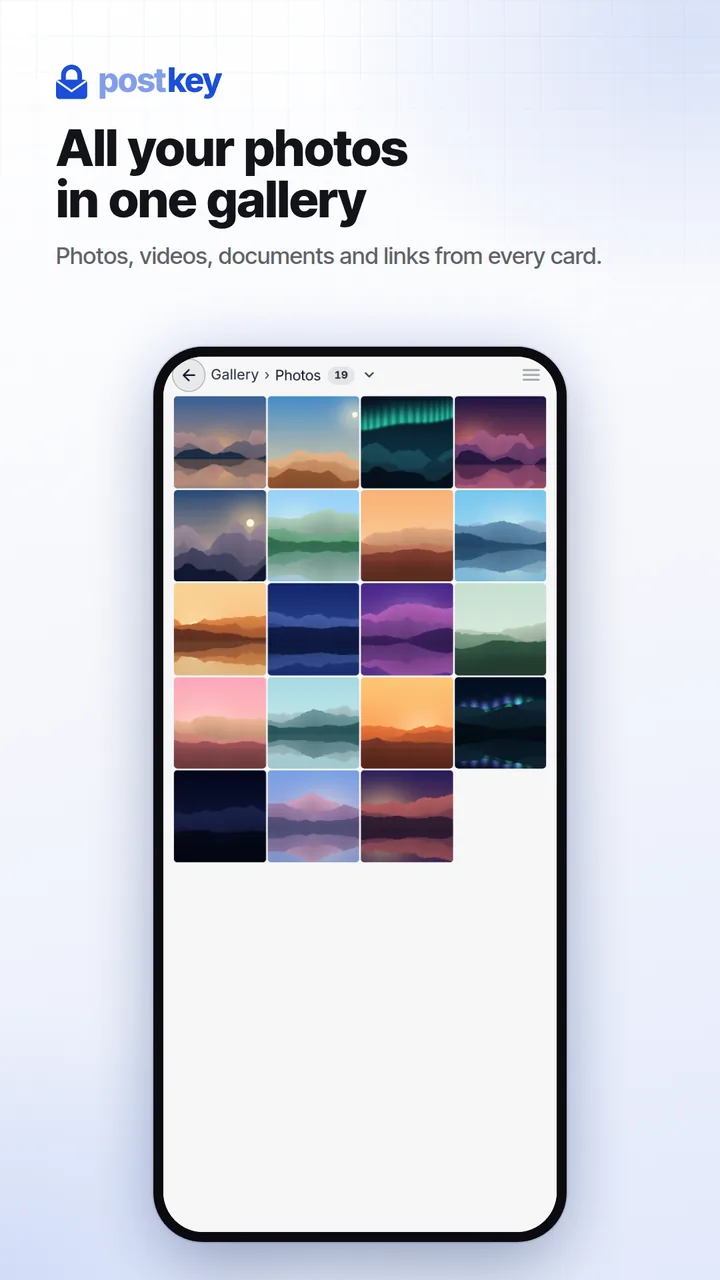
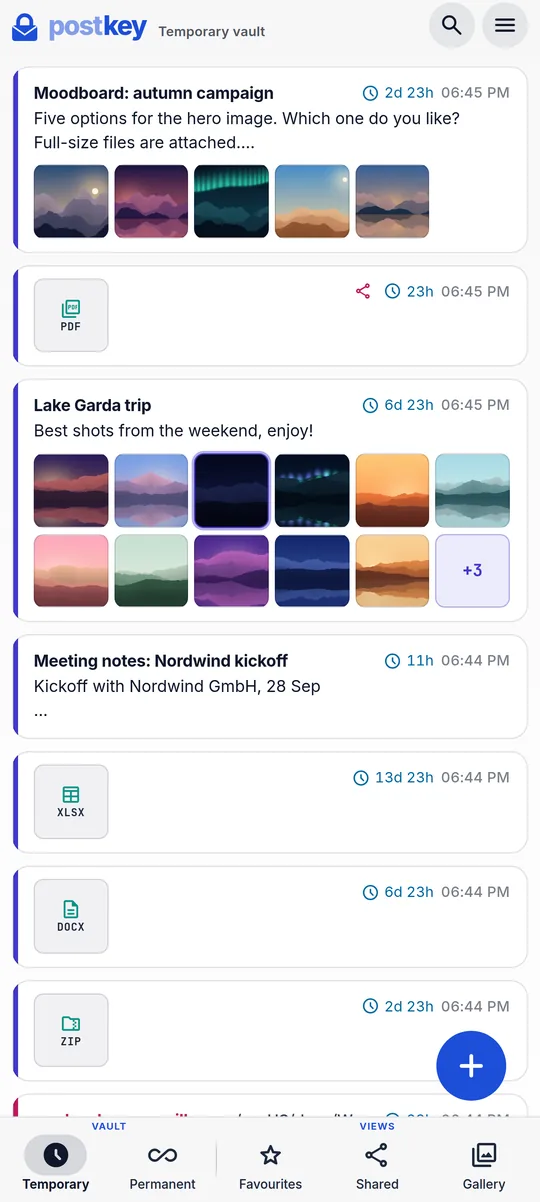
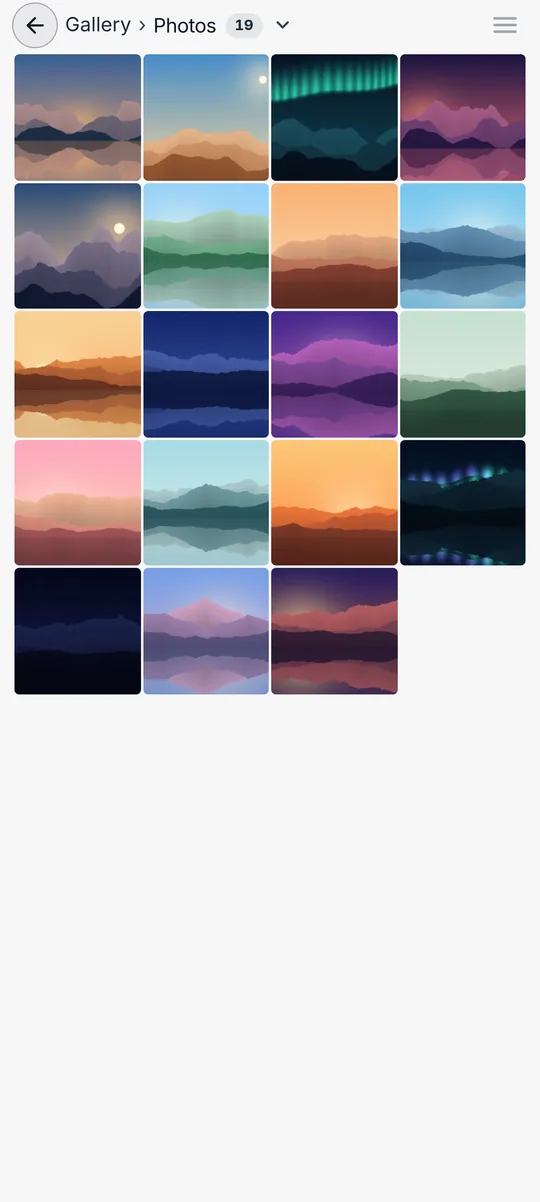
Search titles, names, text and attachment names, locally in your browser. Switch between Temporary vault, Permanent vault, Favourites and Shared, and find every photo, video and document in the Gallery.
007
Expiry
Keep a card in the Temporary vault for 1 hour up to 1 year, or in the Permanent vault with no expiry. Expired cards and their files are deleted automatically.
04 · Sharing
Share any card with one link.
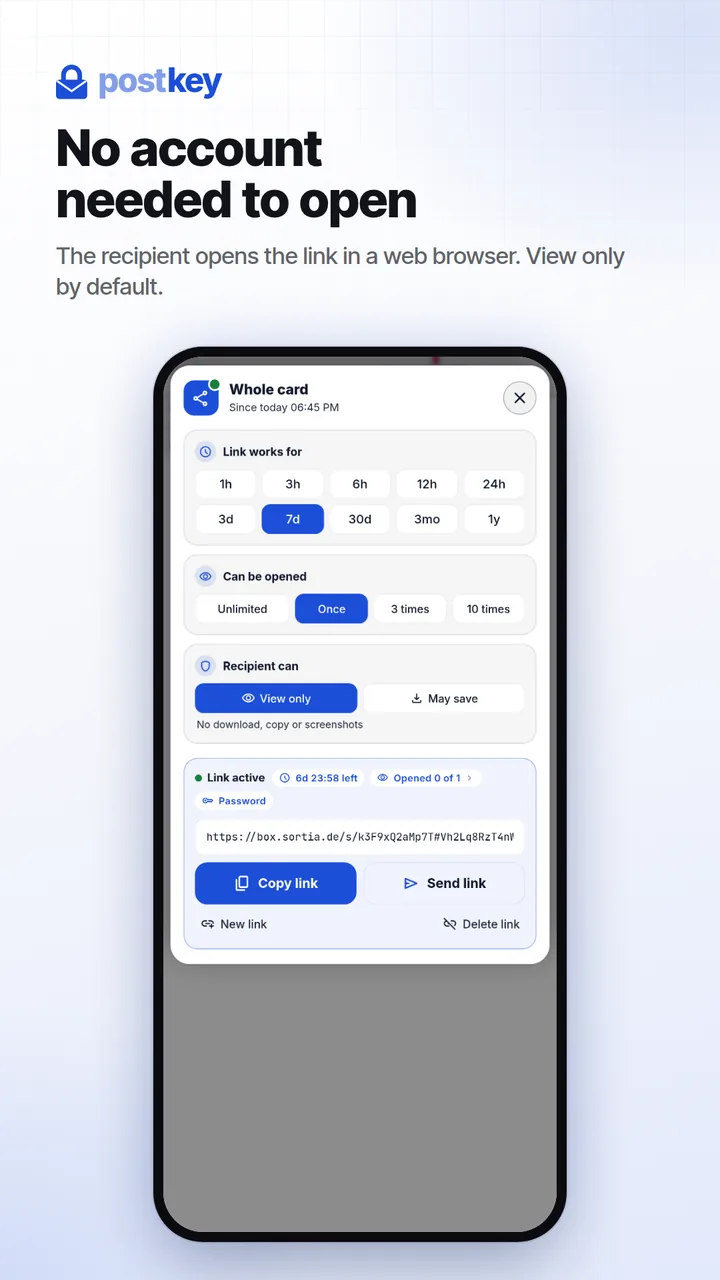
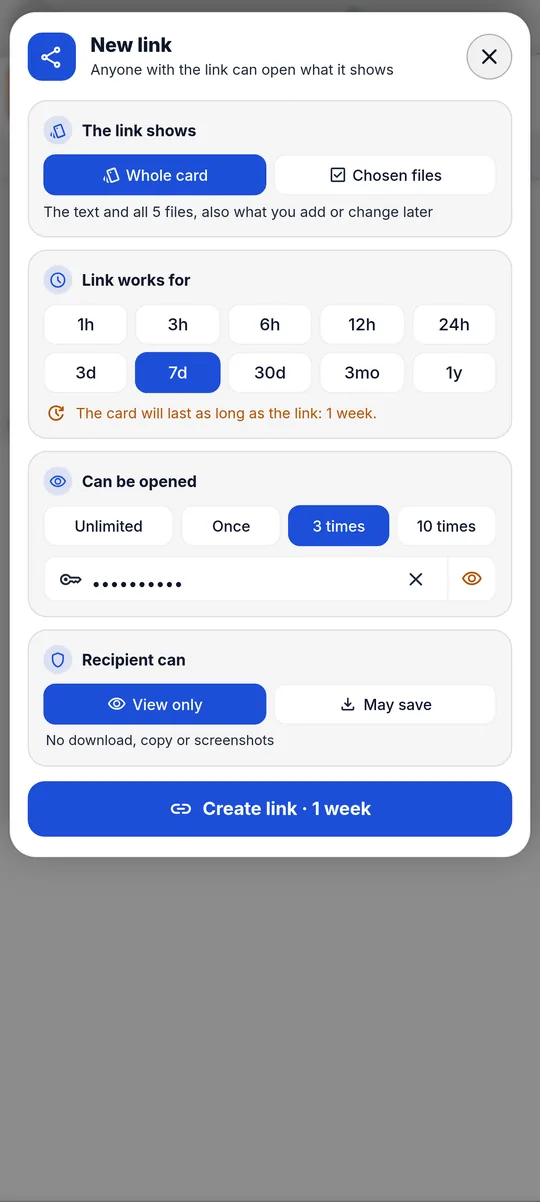
The recipient opens the link in any browser, without an account, and sees previews of images, video, audio, PDF, Word and Excel files, code and the contents of ZIP archives. Download and copy are off unless you allow them.
A key in the link itself
Every link gets its own random 256-bit key. It sits in the part after the # sign, which browsers do not send to the server. Your account keeps a copy wrapped with your own key, so you can copy the link again later.
Expires on your schedule
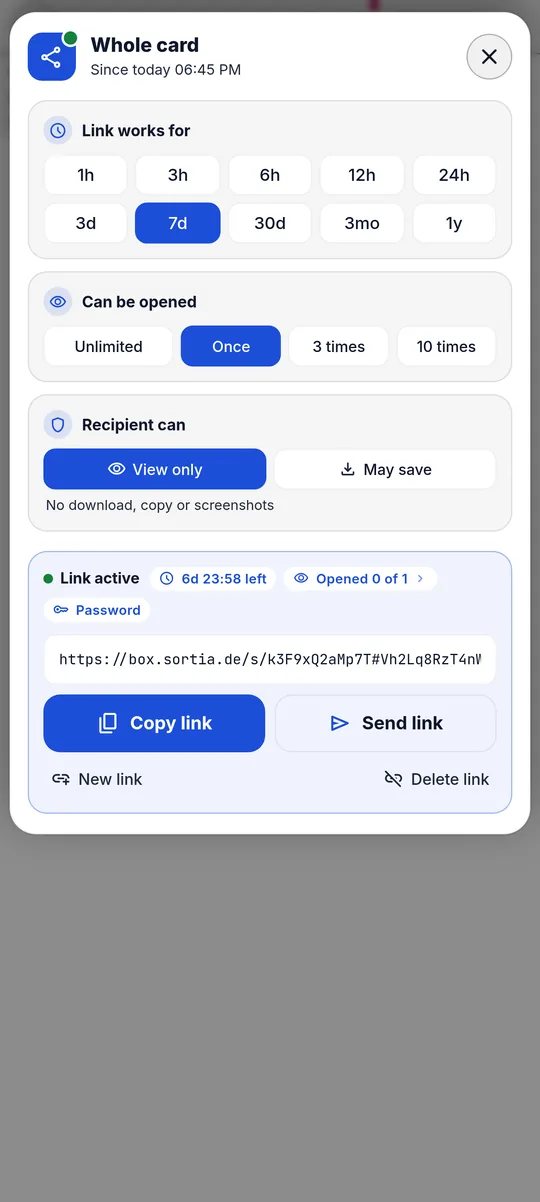
From 1 hour to 1 year. If the link runs longer than the card, the card is kept until the link expires. At any time you can change how long it works and how often it opens, delete it, or make another link for someone else.
Burn after reading
Let a link open once, 3 times, 10 times or without a limit. After the last opening it stops working.
Optional password
A second gate on top of the key: the server hands out the encrypted data only after the right password. After 10 wrong tries the link locks for 5 minutes, and every further wrong try locks it again.
No account for the recipient
The link opens a viewer in the browser. By default it is view only; you can allow download and copy for each link.
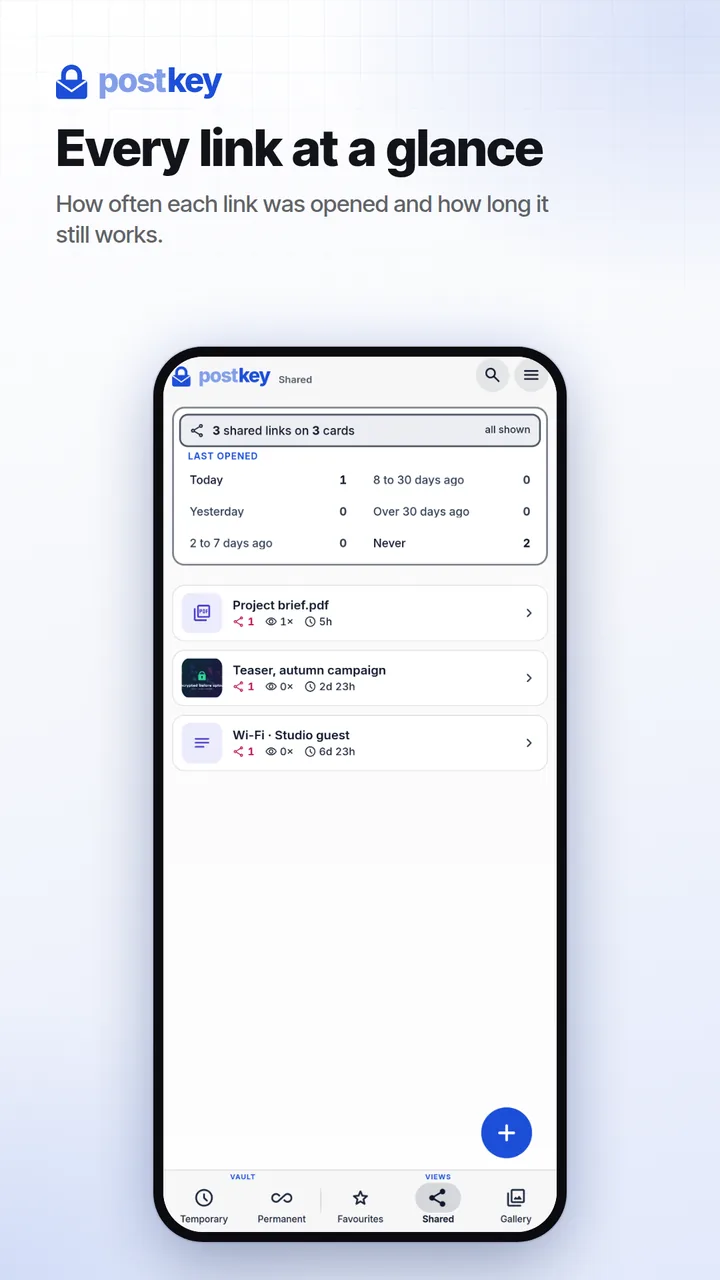
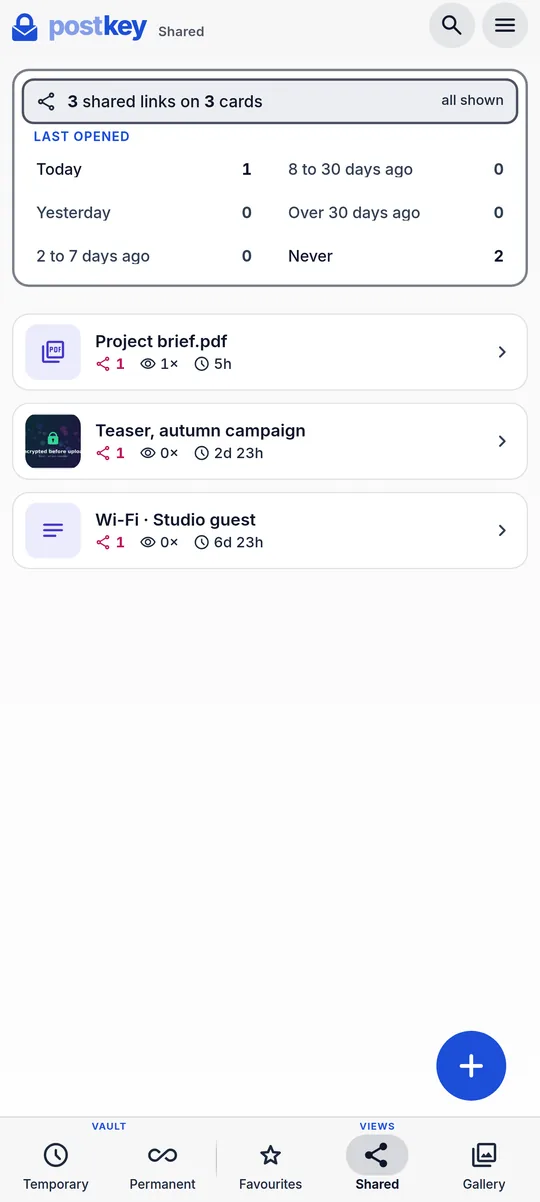
All links in one place
The Shared view collects every card with an active link. Open one to see its views and the time left.
A link carries one card with its text and files. Editing the text of a shared card revokes its link.
05 · Security
Encrypted before it leaves your device.
Postkey is designed around one rule: content is encrypted and decrypted only on your devices. Here is how that works, in plain words, and what our servers do see.
01
Your password
never used as a key directly
02
Argon2id
64 MiB, 3 passes: turns it into a password key
03
Data key
random, 256-bit, stored only wrapped by the password key
04
AES-GCM 256
encrypts every card in your browser, with a fresh IV each time
05
Ciphertext
what our servers store of your content
Encrypted before upload
Text, notes, titles, file names, file types, files and thumbnails are encrypted in your browser before upload. For this content, the database and file storage hold only ciphertext and random IVs.
Standard, modern cryptography
AES-GCM with 256-bit keys through the browser's Web Crypto API. Every encryption uses a fresh random IV, and altered data fails to decrypt.
Passwords that resist guessing
Argon2id with 64 MiB of memory and 3 passes turns your password into a key, so every guess is expensive. Accounts from before Argon2id (PBKDF2-SHA256, 600,000 rounds) are upgraded automatically at their next sign-in. At sign-in the server gets only a value derived from your password, not the password itself.
A wrapped data key
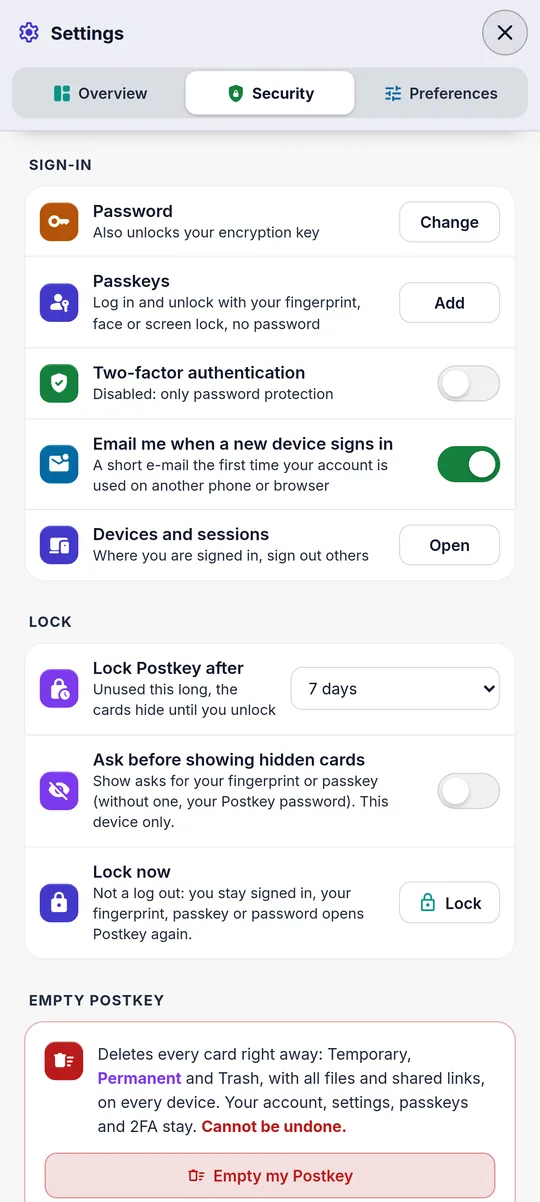
A random data key encrypts your cards, and your password only wraps it. Changing the password re-wraps the key, nothing is encrypted again. After you unlock, the browser keeps the key non-extractable and forgets it after 7 days without use.
Recovery code
A 160-bit recovery code is shown once when your account is set up. If your password has been reset, the code unlocks your data again. If you lose both, nobody can decrypt your data, not even us.
Two-factor sign-in
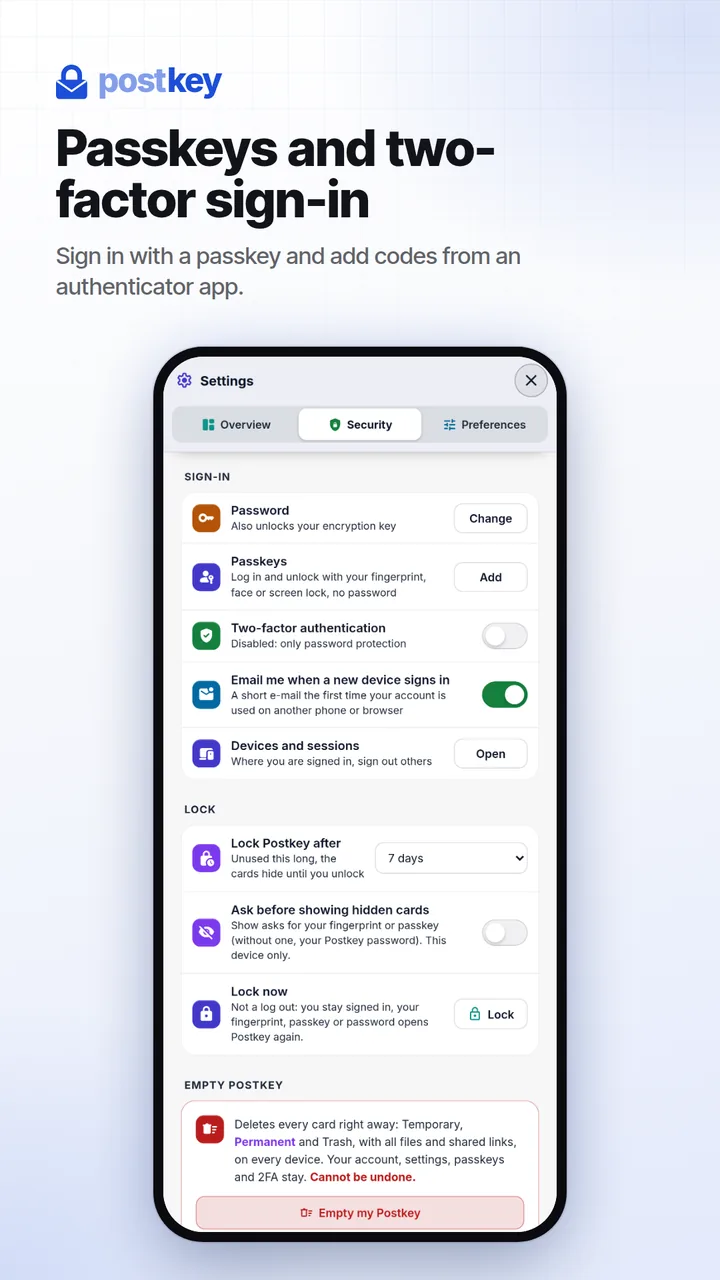
Add one-time codes from any authenticator app (TOTP). See every signed-in device and session, and log out all other devices with one click.
Links with their own key
A share link carries its own key after the # sign, and browsers do not send that part to the server. An optional password becomes part of that key too, so the link alone does not open the content, and 10 wrong tries lock the link.
Files in sealed chunks
New files are encrypted in chunks of 1 MiB, each with its own IV. Every chunk is bound to its position and to the total count, so reordered or cut-off data is rejected.
Previews that stay local
PDFs are drawn on a canvas without scripts or forms, Word content passes a strict sanitizer (DOMPurify), and a document's content must match its file type before it is opened. Nothing is converted on a server.
A locked-down web app
A strict Content Security Policy: the app loads its code only from box.sortia.de. HSTS, and no embedding in other sites.
Android: code from the signed APK
The Android app runs its code from inside the signed APK instead of loading it from our server. Fingerprint sign-in is sealed in the Android Keystore (AES-256-GCM, StrongBox where available, strong biometrics only). An app lock can cover Postkey after 1 to 60 minutes in the background.
Data in the EU
The database runs in Frankfurt, Germany (Supabase, region eu-central-1). Files and thumbnails are stored with OVHcloud in Paris, France, spread over three data centres. Row-level security limits every account to its own data.
What our servers can see
Your email address, your devices (browser and system) and your sign-in sessions with their IP address
When a card was created and when it expires
The kind of card (note, link or file) and its size
Which vault a card is in (Temporary or Permanent) and how many files it has
Share settings: expiry, view limit and number of views
What stays encrypted or on your device
Your text, notes and titles
File names, file types, file contents and image previews
What you search for
Your data key, or the key inside a share link
Good to know: your Postkey password stays on your device. At sign-in the sign-in service (Supabase Auth) receives only a value derived from it, and your encryption key is derived from it in your browser. In the web app, the page code is delivered by our server on each visit, while the Android app carries its code in the signed APK.
Sign in on your phone and your computer: new cards, edits and deletions show up on your other devices in real time.
Web
Any modern browser
Nothing to install. Or add Postkey to your home screen or desktop as an app (PWA).
Input
Drag and drop, Ctrl+V, file picker, whole folders as ZIP
As an app
Installable (PWA); on Android it also appears in the share menu
Find
Search and filters, locally in your browser
Files
Up to 50 MB each, up to 50 per card
Android
Made for your phone
The Android app wraps the same encrypted app and adds what a phone needs. Android 8 or newer.
Share
Send files, photos and text to Postkey from any app
Clipboard
A picture you have just copied lands in the composer
Camera
Take photos one after another, straight into a card
Unlock
Fingerprint sign-in and an optional app lock
Saving
Downloads go straight to the Downloads folder
Real screens from the Android app
07 · FAQ
Questions and straight answers.
Is Postkey a password manager?
Yes, for keeping passwords and other secrets safe: store logins, Wi-Fi passwords, PINs, recovery codes and API keys as cards in your Permanent vault. They are encrypted on your device before upload, synced to your other devices and searchable. Postkey does not fill passwords into websites or apps: there is no autofill, no browser extension, no password generator and no import from other password managers. You open a card, copy its text and paste it where you need it.
Can the server read my data?
Your content is encrypted on your device before upload: text, notes, titles, file names, file types, files and thumbnails. The server stores it only as ciphertext and holds your key only in encrypted form. It does see technical metadata: your email address, when cards are created and expire, their kind and size, which vault they are in, and your share settings.
What happens if I forget my password?
Your password protects both your sign-in and your data key. When your account is set up, Postkey shows a recovery code once: keep it somewhere safe. If your password has been reset, sign in with the new password, choose Forgot password? Use recovery code, and enter the code. Postkey unlocks your data and wraps your data key with the new password. Without the recovery code, your data cannot be decrypted by anyone, including us.
Is Postkey free?
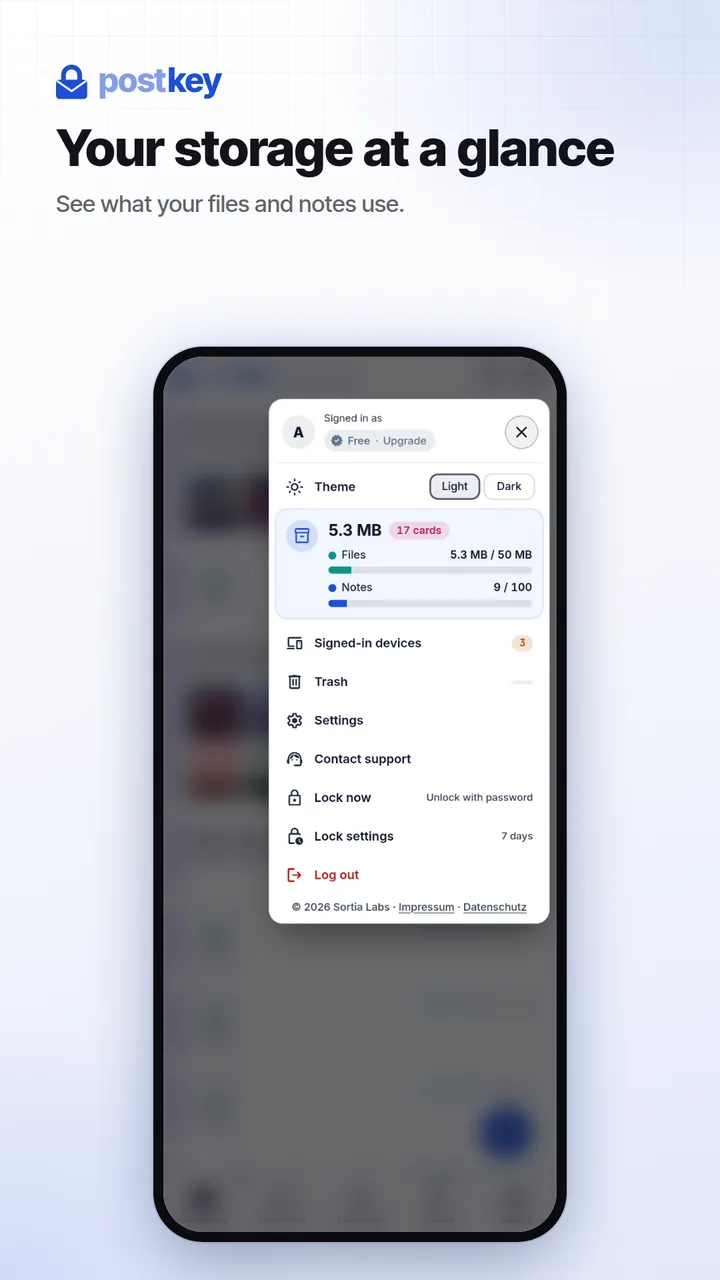
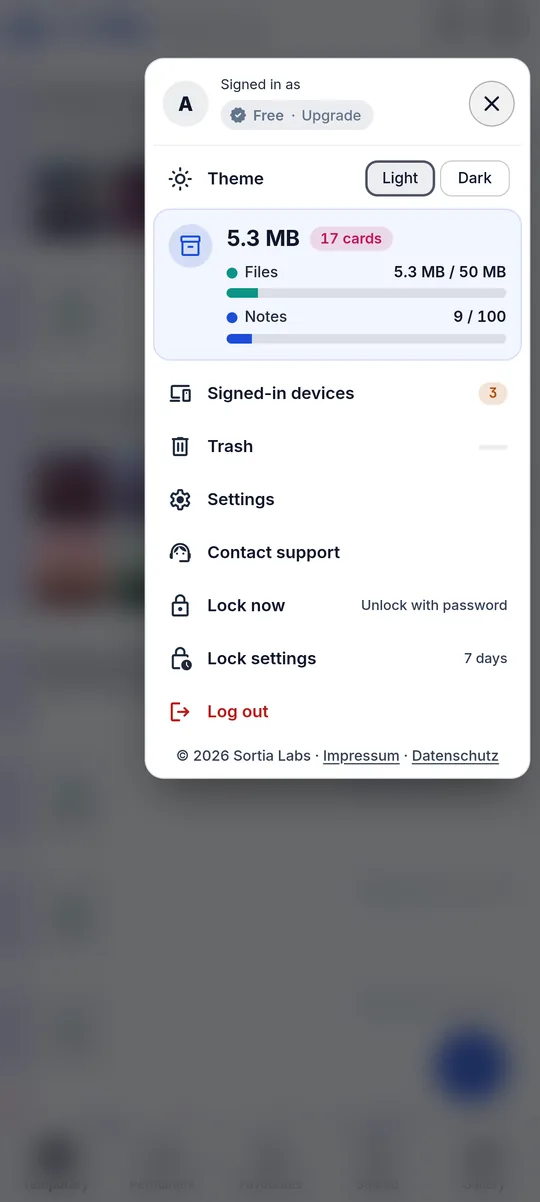
At the moment Postkey has no paid plans, no in-app purchases and no ads. A free account keeps up to 1,000 notes and 50 MB of files at a time, with files of up to 50 MB each. The app shows your current usage. A free account that nobody uses is deleted after reminders by email: after 24 months if it keeps something in the Permanent vault, otherwise after 12 months.
Does the recipient need an account?
No. A share link opens in any modern browser, without an account and without an app. The recipient sees the preview and can download the files if you allow it for that link. If you set a password, they also need the password.
Where is my data stored?
In the EU. The database runs in Frankfurt, Germany (Supabase, region eu-central-1), and files are stored with OVHcloud in Paris, France, spread over three data centres. Your content is encrypted before it leaves your device. Privacy policy
Who can use Postkey?
Registration is currently open to anyone with an email address. In the app, enter your address, type the 6-digit code we send you and choose a password. Anyone can open a share link you send, without an account.
How large can files be?
Up to 50 MB per file and up to 50 files per card. A free account keeps up to 50 MB of files at a time.
Which files can I preview?
Images, PDF, Word (DOCX, and DOC as text), spreadsheets (XLSX, XLS, ODS), ZIP archives, audio, video, and text, and code in many programming languages. Any other file can be stored, shared and downloaded.
Do my cards expire?
Only if you want them to. In the Temporary vault, pick an expiry between 1 hour and 1 year, and the card and its files are deleted automatically when the time is up. Cards in the Permanent vault stay until you delete them.
Which languages does the app support?
The app's interface is in English. Your cards can hold text in any language.
Your secrets, encrypted on your device.
Already have an account? Open Postkey in your browser or on Android. New here? Create an account with your email address.